Office infrastructure
Office IT Setup Checklist for New Offices in Dubai
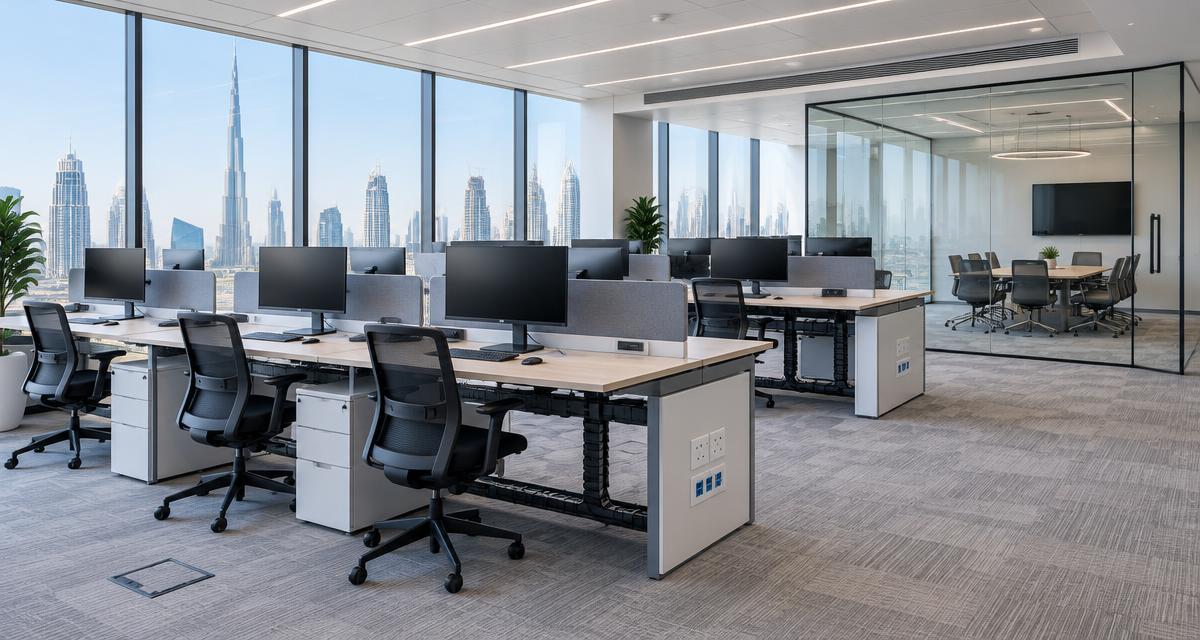
A new office can look ready while essential IT work remains unfinished. Internet activation, cable routes, account access and testing all need coordination before moving day. This checklist helps Dubai businesses connect the office design to the way people will actually work, without buying equipment before the requirements are clear.
1. Map people, workflows and dependencies
List the staff moving in, the teams sharing information and the systems needed on day one. Note roles that depend on large files, video calls, shared printing or specialist applications. Separate essential requirements from optional improvements. Include reception, meeting rooms, storage areas and any employees who will work remotely. The plan should describe activities, not simply count desks and laptops.
Nominate one business contact who can approve decisions and coordinate the landlord, fit-out contractor, internet provider and IT supplier. Record the intended opening date and the dependencies that could affect it. Ask about building access, permitted installation hours and contractor requirements early. Avoid assuming that every Dubai building has the same process; confirm the rules for your specific premises.
2. Confirm internet before committing to move-in
Check which connectivity services are available at the premises and how activation will be arranged. Confirm the provider’s installation requirements, equipment location and any access needed to shared building facilities. A service order is not the same as a tested connection. Build time for activation and troubleshooting into the programme, particularly when other contractors are waiting on the same room or cable route.
Discuss bandwidth in relation to real workloads: cloud applications, concurrent meetings, file transfers and visitor access. If connectivity is critical, consider the need for an alternative connection and how switching would work. Document who owns the provider account and who can raise a fault. Do not promise uninterrupted connectivity simply because a second connection has been purchased; test the intended fallback.
3. Plan cabling around the approved layout
Mark data outlets for desks, printers, wireless access points, meeting equipment and any other network-connected devices. Check cable routes against ceilings, joinery and furniture plans before surfaces are closed. Reserve a suitable location for the rack, with access for maintenance, appropriate power and ventilation. Keep the design coordinated with qualified electrical work rather than treating network equipment as an afterthought.
Ask for cable labelling at both ends and a record linking outlets to patch-panel ports. Agree the testing and documentation required at handover. Consider likely desk changes and growth without filling the office with unnecessary connections. Structured cabling is difficult to inspect once hidden, so review the design and installation responsibilities while adjustments can still be made without damaging finished areas.
4. Design Wi-Fi for the space, not the brochure
Wireless performance depends on the layout, building materials, access-point placement and devices using the network. Plan coverage for meeting rooms, enclosed offices and reception as well as the open work area. A free on-site survey can help establish the starting conditions and practical installation constraints. Review coverage again after furniture and partitions are in place, because the finished environment may differ from the initial plan.
Decide how staff, visitors and business equipment will connect. Guest access should be separated from internal resources rather than sharing the main office password. Establish who can change wireless settings and how access credentials will be managed. Test with representative devices and normal business applications; a signal indicator alone does not demonstrate a usable video call or reliable access to a shared system.
5. Prepare devices and meeting rooms
Create a device list based on job requirements and existing equipment that can be reused. Check operating-system support, application compatibility, warranty needs and available ports before procurement. Include monitors, docking stations, keyboards and the adapters needed for actual desks. Hardware delivery is only one milestone: devices still need configuration, updates, account access and a practical acceptance check before staff can use them.
For meeting rooms, agree the conferencing applications, expected room size and how visitors will present content. Check camera framing, microphone coverage, speaker audio and screen visibility from the seats. Provide a workable connection method for common laptops. Test a real meeting with someone outside the office. A room that works during a quick equipment demonstration can still fail when an employee tries their normal workflow.
6. Set access, security and recovery foundations
Prepare company accounts, approved software and role-based access before the move. Enable appropriate account protection and separate everyday access from administrative privileges. Confirm who manages email, cloud subscriptions, endpoint protection and firewall settings. Keep ownership with the business and store administrative information securely. If a previous supplier is involved, arrange an orderly transfer rather than discovering missing credentials on opening morning.
Identify the files and applications requiring backup and agree how recovery will be tested. Protect local data where it exists, while also checking the recovery options for cloud services. Write down who receives backup alerts and who acts on failures. Make the response to a lost laptop or departed employee part of the operating plan, not a policy that is left until the first incident.
7. Test, document and arrange ongoing support
Use an acceptance checklist that reflects ordinary work. Test internet access, shared files, printers, Wi-Fi, cloud applications, meeting rooms and any agreed fallback connection. Record defects with an owner and a resolution plan. Test from different desks and with more than one device where relevant. Invite a representative employee to complete a real task so technical completion is checked against actual business readiness.
At handover, collect the network diagram, cable records, equipment inventory, warranty information and secure access details. Confirm who staff should contact for support and how new users or future desk changes will be handled. CloudVision offers IT consultancy and office fit-outs alongside structured cabling and networking. Arrange a survey with your floor plan and intended move date to turn this checklist into a coordinated scope.
Related services
Put the checklist into practice
Discuss your current setup and priorities with CloudVision. Start with a free on-site survey or a conversation about the workflow you want to improve.